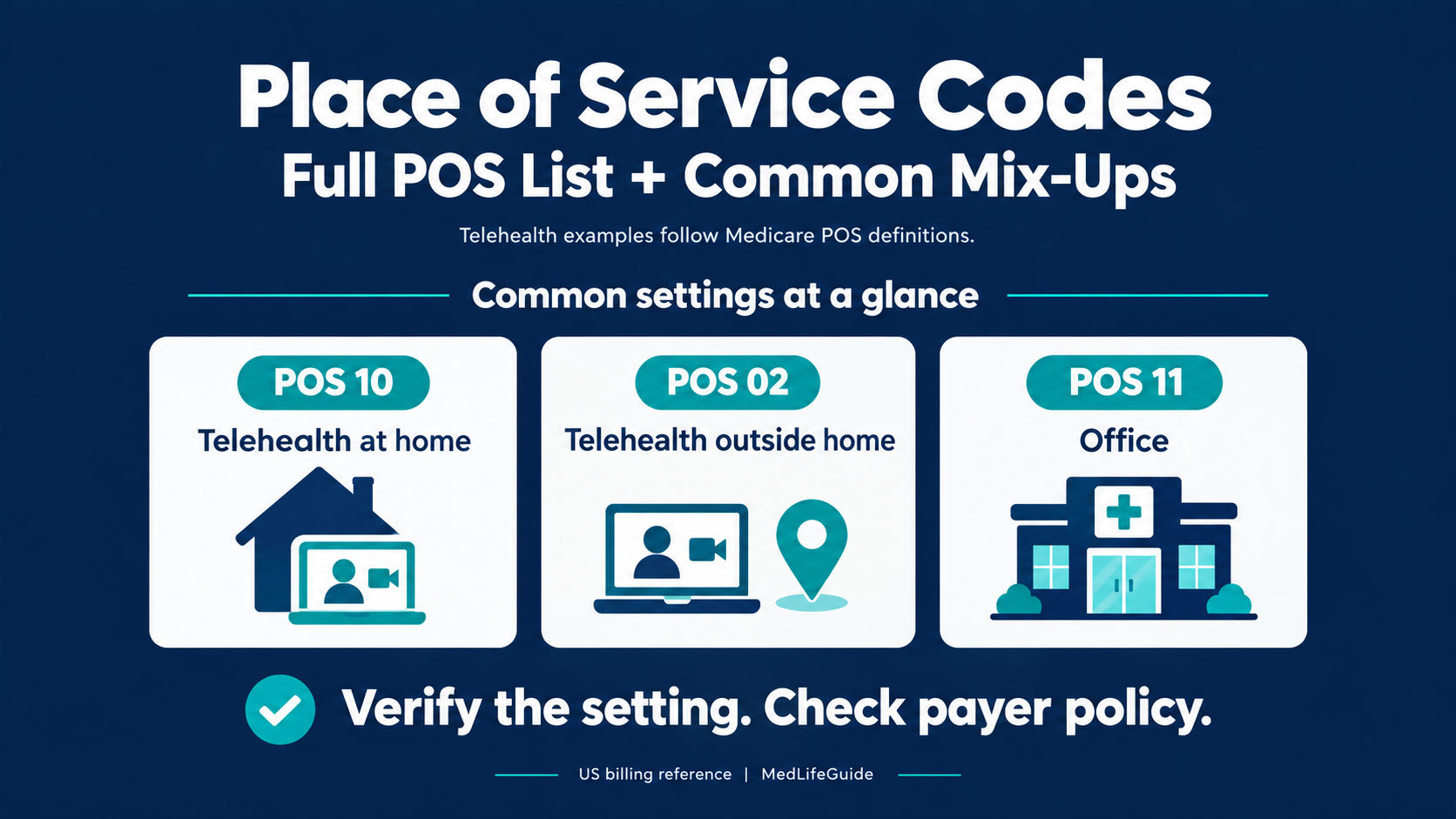
A video visit can connect a clinician in an office with a patient at home. For Medicare telehealth, the clinician’s office does not make the encounter POS 11. CMS directs physicians and practitioners to use POS 10 when the patient receives telehealth at home and POS 02 when the patient is elsewhere. The patient’s location is the distinction. CMS telehealth FAQ, question 8
Place of service codes identify the setting reported on professional healthcare claims. Start with the documented encounter setting, then verify the payer’s billing instructions for the service and date. A code’s presence in the CMS list does not establish coverage or payment eligibility. CMS place of service code set
This guide covers the full assigned POS list and the distinctions that deserve a second look before you submit a claim.
Reference checked October 31, 2026. US billing education only. Confirm the applicable payer, Medicare Administrative Contractor, and date-of-service requirements before acting on a claim.
Start with the encounter, not the payment amount
Before selecting a code, answer these questions:
- What service are you billing, and under which claim type?
- Was the encounter in person, telehealth, or another remote service?
- Where was the patient, and what was the location’s verified classification?
- If relevant, what was the patient’s admission or covered-stay status?
- What payer policy applied on the service date?
Keep the CMS code definition and the payer’s payment policy separate. CMS explicitly tells users to check individual payers for reimbursement policies. CMS code-set instructions
For example, a hospital’s name on a building is not enough documentation for your location master. POS 19 specifically describes an off-campus hospital provider-based department. POS 22 describes an on-campus outpatient hospital setting. Verify the actual department classification instead of coding from the sign outside. CMS definitions of POS 19 and 22
Full place of service codes list
The table below includes the assigned codes in the CMS live reference checked for this guide. Names use normalized punctuation and spacing for readability. These brief setting notes are original summaries, not substitutes for the full CMS definitions. Payment restrictions are not fully represented by the code name. Official CMS code set
| POS | Setting name | Quick distinction |
|---|---|---|
| 01 | Pharmacy | Drugs and related items or services supplied directly to patients |
| 02 | Telehealth Provided Other than in Patient’s Home | Patient receives telehealth outside the home |
| 03 | School | Setting primarily used for education |
| 04 | Homeless Shelter | Temporary housing for people experiencing homelessness |
| 05 | Indian Health Service Free-standing Facility | IHS ambulatory facility |
| 06 | Indian Health Service Provider-based Facility | IHS provider-based inpatient or outpatient setting |
| 07 | Tribal 638 Free-standing Facility | Tribal ambulatory facility under a 638 agreement |
| 08 | Tribal 638 Provider-based Facility | Tribal provider-based setting under a 638 agreement |
| 09 | Prison/Correctional Facility | Correctional or detention setting |
| 10 | Telehealth Provided in Patient’s Home | Patient receives telehealth at home |
| 11 | Office | Ambulatory professional office outside the excluded facility categories |
| 12 | Home | Care in a private residence outside a hospital or other facility |
| 13 | Assisted Living Facility | Residential setting with self-contained units and support capacity |
| 14 | Group Home | Shared residence with supervision and supportive services |
| 15 | Mobile Unit | Equipped care unit that moves between locations |
| 16 | Temporary Lodging | Qualifying short-term accommodation not identified by another POS |
| 17 | Walk-in Retail Health Clinic | Qualifying clinic within a retail operation |
| 18 | Place of Employment-Worksite | Qualifying worksite occupational or related care |
| 19 | Off Campus-Outpatient Hospital | Off-campus hospital provider-based department |
| 20 | Urgent Care Facility | Unscheduled immediate ambulatory care in a distinct urgent care setting |
| 21 | Inpatient Hospital | Admitted inpatient hospital setting, other than psychiatric |
| 22 | On Campus-Outpatient Hospital | Hospital outpatient setting on the main campus |
| 23 | Emergency Room-Hospital | Hospital emergency department |
| 24 | Ambulatory Surgical Center | Freestanding ambulatory surgical and diagnostic setting |
| 25 | Birthing Center | Birthing setting distinct from a hospital maternity unit or office |
| 26 | Military Treatment Facility | Uniformed Services treatment setting |
| 27 | Outreach Site/Street | Qualifying non-permanent outreach setting for unsheltered people |
| 31 | Skilled Nursing Facility | Skilled inpatient nursing and related care |
| 32 | Nursing Facility | Nursing-facility care under its specific definition |
| 33 | Custodial Care Facility | Room, board, and personal assistance without a medical component |
| 34 | Hospice | Hospice facility other than the patient’s home |
| 41 | Ambulance-Land | Equipped land ambulance |
| 42 | Ambulance-Air or Water | Equipped air or water ambulance |
| 49 | Independent Clinic | Outpatient clinic not part of a hospital or another specified POS |
| 50 | Federally Qualified Health Center | FQHC setting |
| 51 | Inpatient Psychiatric Facility | Inpatient psychiatric care |
| 52 | Psychiatric Facility-Partial Hospitalization | Structured psychiatric partial hospitalization setting |
| 53 | Community Mental Health Center | Setting meeting the CMHC service definition |
| 54 | Intermediate Care Facility/Individuals with Intellectual Disabilities | Qualifying intermediate-care setting |
| 55 | Residential Substance Abuse Treatment Facility | Live-in substance use treatment setting |
| 56 | Psychiatric Residential Treatment Center | Staffed, 24-hour psychiatric residential treatment environment |
| 57 | Non-residential Substance Abuse Treatment Facility | Ambulatory substance use treatment setting |
| 58 | Non-residential Opioid Treatment Facility | Ambulatory opioid use disorder treatment setting |
| 60 | Mass Immunization Center | Setting used for the specified mass-immunization billing services |
| 61 | Comprehensive Inpatient Rehabilitation Facility | Comprehensive inpatient rehabilitation |
| 62 | Comprehensive Outpatient Rehabilitation Facility | Comprehensive outpatient rehabilitation |
| 65 | End-Stage Renal Disease Treatment Facility | Non-hospital dialysis treatment, maintenance, or training setting |
| 66 | Programs of All-Inclusive Care for the Elderly (PACE) Center | PACE setting; see the Medicare restriction below |
| 71 | Public Health Clinic | State or local health department clinic |
| 72 | Rural Health Clinic | Certified RHC setting |
| 81 | Independent Laboratory | Certified laboratory independent of an institution or office |
| 99 | Other Place of Service | Setting not identified by another code |
Unassigned ranges: 28 through 30, 35 through 40, 43 through 48, 59, 63 through 64, 67 through 70, 73 through 80, and 82 through 98. They are not alternate codes for an unfamiliar location. CMS assigned and unassigned codes
Important correction: POS 18 is not store-and-forward telemedicine. It identifies Place of Employment-Worksite. Do not use it merely because a clinician reviews an image or recorded information remotely. CMS POS 18 definition
Common POS mix-ups and the fact that resolves each one
Telehealth: POS 02, POS 10, POS 12, and modifiers
| Question | Distinction to verify |
|---|---|
| POS 02 or 10? | For Medicare telehealth, use the patient’s location: outside home versus at home |
| POS 10 or 12? | Telehealth at home versus care delivered in the private residence |
| POS 10 or 11? | A clinician being in an office does not turn patient-at-home telehealth into an office encounter |
| POS or modifier? | They are separate claim data elements; a modifier does not replace the POS field |
The location distinctions come from the CMS code definitions and current telehealth instructions. CMS-1500 instructions place POS in item 24B and procedure/modifier information in item 24D. CMS code set, CMS telehealth FAQ, CMS Chapter 26
Illustrative example: A practitioner conducts a video visit from an office while the patient is in a private residence. Under Medicare’s telehealth POS instructions, review POS 10, not POS 11 based on the practitioner’s location. If the practitioner instead travels to the residence and provides the service there, review POS 12. This is a coding illustration, not a report of an actual patient encounter. CMS telehealth FAQ, question 8, CMS POS 12 definition
For an ambiguous telehealth location, such as a car, hotel, dorm, or temporary dwelling, record the actual location before deciding. Do not convert a forum answer into a blanket rule. CMS defines home in this context as a private residence outside a hospital or other facility, but the reviewed FAQ does not classify every possible travel or housing situation. Obtain written payer or MAC clarification when the definition does not settle the encounter. CMS telehealth FAQ, question 8
Suggested documentation prompt: “Where are you physically located for today’s visit, including the address and type of setting?” Record the answer rather than assuming the registration address is the encounter address.
A correct POS also does not prove that a remote service is covered. Check the service, modality, eligible practitioner, applicable modifier instructions, and date of service separately. Do not assume that every telephone call or electronically transmitted message follows the same rules as a Medicare telehealth visit. CMS telehealth FAQ
Office and hospital settings: POS 11, 19, 22, 21, 23, and 24
| Mix-up | Fact that resolves it | Safer workflow |
|---|---|---|
| 11 versus 19 or 22 | Office setting versus actual hospital outpatient department classification | Verify provider-based status and campus classification |
| 19 versus 22 | Off-campus provider-based department versus on-campus outpatient hospital | Use an approved location master |
| 21 versus outpatient status | Inpatient admission status, not simply occupying a hospital bed | Reconcile the service with documented patient status |
| 23 versus 20 | Hospital emergency department versus distinct urgent care facility | Confirm the actual registered treatment setting |
| 24 versus 22 | Freestanding ASC versus hospital outpatient department | Code the setting, not merely the fact that surgery occurred |
These distinctions follow the CMS setting definitions. Hospital payment rules and professional payment rules should not be collapsed into one universal reimbursement label. CMS definitions, CMS Chapter 26
An overnight stay alone does not answer whether the professional encounter belongs to an inpatient or outpatient setting. Do not use POS 21 merely because the patient slept in a hospital. Confirm the applicable status and setting for the service, including observation encounters and transitions between settings. Escalate uncertain same-day transitions instead of applying one blanket code to every service. CMS inpatient and outpatient setting definitions
Nursing, residential, outreach, and specialty settings
POS 31 versus 32: Do not infer the correct nursing code from the building’s marketing name. CMS distinguishes skilled nursing and nursing-facility settings, and Medicare has special application rules. Verify the resident’s stay and benefit circumstances using the applicable Medicare instructions rather than a generic “rehab equals 31” shortcut. CMS Chapter 26, section 10.5
POS 13 versus 14 versus 33: Assisted living, group homes, and custodial care have different definitions. A long-term residence is not automatically POS 12 because the resident calls it home. Use the facility classification and actual service setting. CMS residential-setting definitions
POS 04 versus 15 versus 27: A shelter, equipped mobile unit, and non-permanent street outreach setting are not interchangeable. POS 27 applies to the specific outreach circumstances in the CMS definition, not every service delivered outside a conventional office. It became effective October 1, 2023. CMS instructs contractors to process it the same as POS 12; that processing rule does not change its descriptor into “Home.” CMS code set, CMS outreach instruction
POS 55, 56, 57, and 58: Residential substance use treatment, psychiatric residential treatment, non-residential substance use treatment, and non-residential opioid treatment have separate definitions. Select the actual program setting, not just a diagnosis or the presence of counseling. CMS behavioral health setting definitions
Remote diagnostic interpretation: A clinician interpreting a test from another location is not automatically furnishing a POS 02 or 10 telehealth encounter. Separate professional-component claims have specific POS, address, and payment-locality instructions. Consult the relevant diagnostic-service rules and MAC guidance instead of treating the reading workstation as the only deciding fact. CMS diagnostic POS FAQ
Why a valid POS code does not guarantee Medicare payment
POS 66 is the clearest example. CMS added the PACE Center code with an effective date of August 1, 2024 and an implementation date of January 6, 2025. Its provider education notice states that it is for Medicaid claims and that Medicare claims containing POS 66 will be denied. Including the code in a reference table does not make it payable by Medicare. CMS POS 66 notice and transmittal
Payment also depends on the service and payment system. CMS states that Medicare telehealth furnished to patients in their homes is paid at the non-facility rate beginning January 1, 2024. That does not justify selecting POS 10 for a patient who was not at home, or assuming every payer follows that payment rule. CMS telehealth FAQ, question 8
Avoid fixed-dollar comparisons without a verified year, procedure, locality, component, and payer. More importantly, select the supported code before evaluating the expected allowed amount. Payment optimization is not permission to change the setting facts.
FQHCs and RHCs need their own billing review. CMS’s October 2026 FAQ describes distinct telecommunication payment instructions and an October 1, 2026 change from G2025 to individual CPT or HCPCS codes for the described non-behavioral telehealth services. Do not apply an ordinary office claim template to these organizations without checking their current instructions. CMS telehealth FAQ, question 4
Put the POS in the correct claim field
On the CMS-1500, item 24B identifies the place of service for the service line. Item 24D holds the procedure and applicable modifiers; item 32 addresses service-facility information under CMS instructions. A location code, an address, and a modifier are related pieces of claim data, not substitutes for one another. CMS Chapter 26, section 10.4
| Data element | Purpose | Review question |
|---|---|---|
| POS | Identifies the setting | Does the code match the documented encounter? |
| Procedure and modifier information | Describes the billed service and applicable circumstances | Does the service meet the payer’s coding instructions? |
| Service-facility information | Identifies the relevant service location under applicable instructions | Is the location complete and consistent with the claim rules? |
For electronic professional claims, have your clearinghouse or software team verify the corresponding POS mapping against the payer’s current 837P companion instructions. Do not assume the screen label in your billing software proves the outbound claim is correct.
Multiple settings also deserve attention. CMS’s paper-form instructions allow only one name, address, and ZIP code in item 32 and require separate forms when additional entries are needed. Before combining encounters from different locations, verify the applicable claim-format and payer rules. CMS Chapter 26, item 32
Troubleshoot a POS rejection, denial, or payment concern
Use this as an operational review sequence, not an automatic instruction to rebill:
- Preserve the original record. Save the submitted claim, clearinghouse response or remittance, documentation, and policy applicable to the service date.
- Identify the actual issue. Read the full response. Do not infer a POS error solely from a lower-than-expected payment.
- Verify encounter facts. Check setting, patient location, modality, admission or stay status, and department classification where relevant.
- Compare the facts with policy. Confirm the exact product, state, claim type, code, modifier, and effective date.
- Choose the appropriate route. Determine whether the issue calls for a corrected claim, a payer inquiry, an appeal, or an internal compliance review under the applicable rules.
- Fix the cause. Review the location master, scheduling defaults, documentation prompts, and outbound mapping so the issue is not repeated.
If the payer’s instruction appears to conflict with a code definition, request written clarification. Do not change a truthful location statement merely because another code paid on an earlier claim. CMS directs POS billing questions to the Medicare Administrative Contractor. CMS POS assistance instructions
For a claim that never reached adjudication, review your clearinghouse workflow and the explanation of claim rejections before treating it as an appeal issue.
A pre-submission checklist you can reuse
Before releasing an uncertain claim, confirm:
- The code describes the actual encounter rather than the desired payment.
- The patient location is documented for telehealth.
- The department or facility classification is verified.
- Status-dependent questions have been resolved.
- The policy applies to the exact payer product and date of service.
- The service, modality, and modifiers have been checked separately.
- Service-facility information and outbound claim mapping are consistent.
- Any unresolved exception has an assigned reviewer.
Maintain a payer-policy log with these fields:
| Field | What to record |
|---|---|
| Payer and product | Exact plan, not only the insurer’s brand |
| Jurisdiction and claim type | State, MAC when relevant, and professional or institutional workflow |
| Service and modality | Procedure, in-person or remote delivery, and relevant component |
| Location facts | Patient location and verified facility classification |
| POS and modifier instruction | Written requirement with exceptions |
| Policy timing | Effective date, service-date applicability, and date checked |
| Evidence and owner | Direct policy URL, saved policy version, reviewer, and next review date |
Frequently asked questions
No. A procedure modifier does not replace the POS field. On the CMS-1500, place of service belongs in item 24B, while procedure and modifier information belongs in item 24D. CMS Chapter 26
No. POS 99 identifies a setting not described by another POS code. CMS separately tells users to verify reimbursement policies with the payer. Do not use it as a coverage workaround. CMS POS 99 and payment-policy instructions
Do not decide from ownership alone. Verify whether the encounter occurred in the on-campus hospital outpatient setting described by POS 22, an off-campus provider-based department described by POS 19, or another properly classified setting. CMS POS 11, 19, and 22 definitions
No. CMS defines it as Place of Employment-Worksite. Reviewing an uploaded image does not make that worksite definition applicable. CMS POS 18 definition
Do not assume that you can. Use the CMS definitions as your reference and check the exact payer’s reimbursement and billing instructions for the service date. CMS payer-policy instruction
Start with ten recent encounters across your actual care settings. Compare the documentation, selected POS, submitted claim, and governing payer policy. Log each mismatch, assign an owner, and correct the location master or workflow before applying any bulk billing change.
Sources
- Place of Service Code Set. Centers for Medicare & Medicaid Services. Database heading: updated May 2, 2024; page last modified February 17, 2026. Checked October 31, 2026. https://www.cms.gov/medicare/coding-billing/place-of-service-codes/code-sets
- Telehealth FAQ. CMS. Updated October 8, 2026; filename dated October 9, 2026. Questions 4 and 8 are particularly relevant. https://www.cms.gov/files/document/telehealth-faq-updated-10-09-2026.pdf
- Medicare Claims Processing Manual, Chapter 26: Completing and Processing Form CMS-1500 Data Set. CMS. Retrieved revision header: Revision 12779, issued August 9, 2024. Sections 10.4 and 10.5. https://www.cms.gov/regulations-and-guidance/guidance/manuals/downloads/clm104c26.pdf
- R12779CP: New Place of Service Code 66, PACE Center. CMS. Issued August 9, 2024; implementation January 6, 2025; provider education February 14, 2025. https://www.cms.gov/medicare/regulations-guidance/transmittals/2024-transmittals/r12779cp
- R12411CP: New Place of Service Code 27, Outreach Site/Street. CMS. Issued December 14, 2023. https://www.cms.gov/medicare/regulations-guidance/transmittals/2023-transmittals/r12411cp
- Frequently Asked Questions Related to Change Request 7631. CMS. April 25, 2013. Older but directly relevant to diagnostic professional-component POS questions; confirm current specialty/MAC application. https://www.cms.gov/medicare/medicare-fee-for-service-payment/physicianfeesched/downloads/faqs-cr7631-4-25-13.pdf