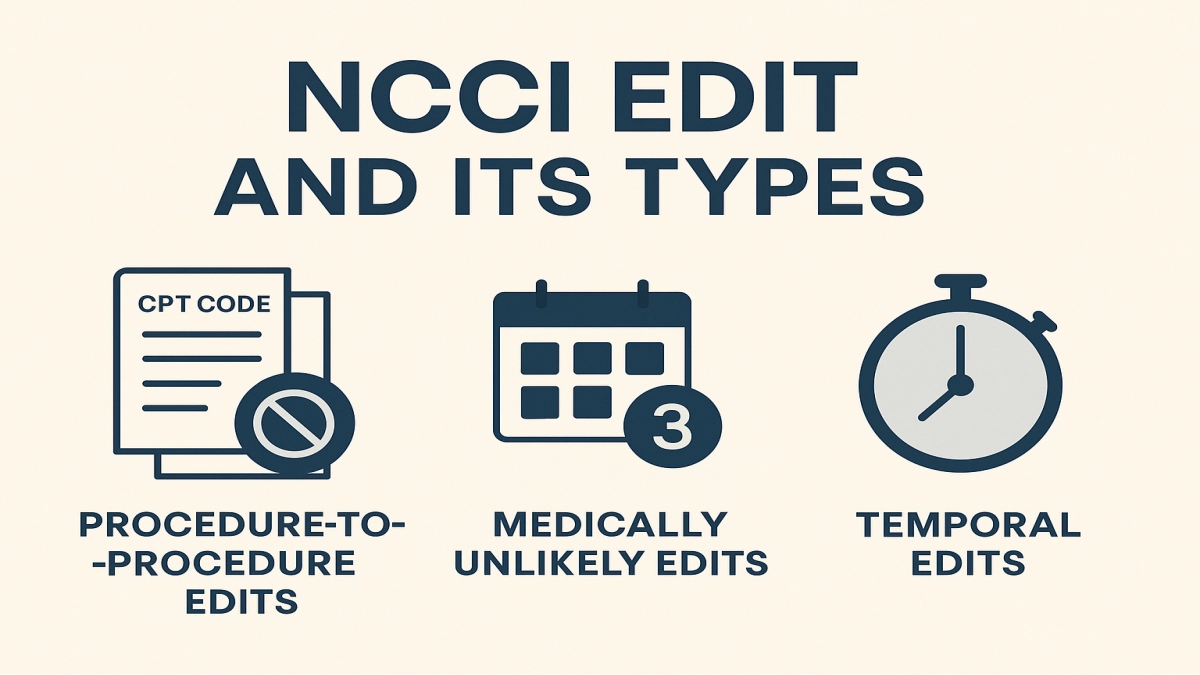
An NCCI edit is a Medicare “medical claim edit” that checks whether two codes can be billed together for the same patient, same date, and same provider. CMS uses National Correct Coding Initiative edits to prevent improper payments caused by duplicate coding, unbundling, or incompatible procedure code combinations. The three NCCI edit types are: Procedure to Procedure edits, Medically Unlikely Edits, and Add On Code edits.
Quick Summary
- NCCI edits are CMS rules that enforce correct coding and prevent improper payments.
- The three NCCI edit types are PTP edits, MUEs, and Add On Code edits.
- Most denials happen because teams misunderstand bundling or use modifiers without documentation.
- You can reduce denials by checking edits before claim submission and documenting “distinct” services clearly.
Sources: CMS NCCI overview and downloads
https://www.cms.gov/medicare/coding-billing/national-correct-coding-initiative-ncci
CMS NCCI Policy Manuals
https://www.cms.gov/medicare/coding-billing/national-correct-coding-initiative-ncci/ncci-policy-manuals
If you’ve ever stared at a denial and thought “but we really did both procedures,” this guide will show you how to prove it, or when you shouldn’t even try.
Why NCCI edits matter more than most coding teams admit
NCCI edits sit at the intersection of reimbursement and compliance. They protect healthcare payment integrity by catching coding patterns that lead to duplicate payment, unbundling, or “two codes for one service.”
For coders and billers, that translates to:
- fewer denials when you follow the rules
- fewer rework cycles
- fewer uncomfortable audit conversations
- cleaner Medicare billing compliance
CMS built NCCI to promote correct coding and control improper payment.
Source: CMS NCCI program page
https://www.cms.gov/medicare/coding-billing/national-correct-coding-initiative-ncci
Most people know “NCCI equals bundling.” That’s only one part of it. The other two edit types cause just as many headaches.
What is an NCCI edit
An NCCI edit is a rule in Medicare’s claim processing logic that evaluates whether a code or combination of codes meets CMS correct coding standards for payment.
In plain language:
- Some codes should never appear together on the same claim line set.
- Some codes can appear together only when documentation shows separate and distinct services.
- Some units exceed what is medically reasonable for one patient on one date.
NCCI edits are part of a broader system of reimbursement coding guidelines and medical coding edits used to support appropriate payment.
Source: CMS NCCI overview
https://www.cms.gov/medicare/coding-billing/national-correct-coding-initiative-ncci
Important boundary
NCCI edits apply to Medicare fee for service claims. Many Medicaid programs and commercial payers use similar CCI edits healthcare logic, but they can differ. Treat Medicare NCCI as your baseline, then verify payer-specific policies.
Quick warning: Don’t assume “Medicare allows it” means a commercial payer will allow it. And don’t assume a commercial payer’s allowance protects you on Medicare.
NCCI vs CCI: same family, different references
People say “CCI edits” as shorthand. In Medicare discussions, you’ll usually mean National Correct Coding Initiative edits.
You’ll also hear “bundling edits” or “medical claim edits.” Those terms describe how denials show up, not the official program name.
When you want the official answer, use CMS:
- NCCI edit files
- NCCI Policy Manuals (per specialty and setting)
- the quarterly updates
Sources:
NCCI main page https://www.cms.gov/medicare/coding-billing/national-correct-coding-initiative-ncci
NCCI Policy Manuals https://www.cms.gov/medicare/coding-billing/national-correct-coding-initiative-ncci/ncci-policy-manuals
If a coworker says “I heard you can just add modifier 59,” you need the manual, not the rumor.
The three types of NCCI edits
Here’s the core of your question, explained in working terms.
Type 1: Procedure to Procedure edits (PTP edits)
PTP edits enforce CPT code bundling rules by identifying pairs of codes that should not be billed together for the same patient and encounter circumstances.
How PTP edits work
- CMS labels one code as the Column 1 code (generally the more comprehensive service).
- The other becomes Column 2 (generally a component service).
- If billed together, Medicare denies Column 2 unless an allowed modifier indicates a distinct service and documentation supports it.
CMS publishes PTP edit tables as part of the NCCI edit files.
Source: CMS NCCI edit files and description
https://www.cms.gov/medicare/coding-billing/national-correct-coding-initiative-ncci
Why PTP edits exist
They prevent “unbundling,” where someone reports a comprehensive procedure as separate component parts to increase reimbursement. That threatens healthcare payment integrity.
Micro story: the denial that looked unfair
A surgery center I consulted for saw repeated denials for a component procedure code billed with a more comprehensive code. The physician insisted, “I did both.” When we reviewed the operative note, the “extra” work sat inside the standard definition of the primary procedure. The team wasn’t dishonest. They were over-reporting without realizing the code already included that work. Fixing it reduced denials immediately and lowered audit risk.
Quick warning: If you override a PTP edit with a modifier, you invite scrutiny. Only do it when the documentation supports a truly separate service.
PTP edits and modifiers
PTP edits connect directly to modifier policy. Some code pairs allow modifiers; some don’t.
- If the edit has a modifier indicator that allows bypass, you still need documentation.
- If the edit does not allow bypass, no modifier should fix it.
CMS publishes a PTP modifier indicator in the edit files.
Source: CMS NCCI edit file information
https://www.cms.gov/medicare/coding-billing/national-correct-coding-initiative-ncci
Type 2: Medically Unlikely Edits (MUEs)
MUEs are unit-of-service edits. They limit how many units of a service a provider can report for a single patient on a single date of service under most circumstances.
Think of MUEs as a “units reasonableness” check.
Example concept
If a code represents a single anatomic structure or a service normally performed once per day, billing 6 units could trigger an MUE denial.
CMS provides MUE information and publishes MUE files.
Source: CMS NCCI MUE page and files
https://www.cms.gov/medicare/coding-billing/national-correct-coding-initiative-ncci/mue
Why MUEs exist
They prevent overpayment from excessive units, duplicate billing, or data entry errors. They also support Medicare billing compliance by forcing teams to justify unusual utilization.
Micro story: the innocent “extra zero”
I’ve seen a clinic bill 10 units instead of 1 because someone typed a “0” too many in a rush. The claim denied, the patient got confused, and staff spent hours fixing it. MUEs didn’t punish them. They saved Medicare from paying a nonsense claim and saved the clinic from an overpayment problem.
Practical tip
When you hit an MUE denial, don’t reflexively appeal. First, check:
- Was the unit count correct
- Did the claim need multiple line items with modifiers for distinct sites
- Did documentation support medical necessity for multiple units
Quick warning: Appeals fail fast when documentation doesn’t match units.
Type 3: Add On Code edits
Add-on codes describe services performed in addition to a primary procedure. CMS and CPT require add-on codes to be billed with an appropriate primary code. You can’t report them alone.
Add-on code edits flag:
- add-on code billed without a valid primary procedure code
- add-on code billed with a primary code that doesn’t qualify
CMS discusses add-on code rules within NCCI materials and policy manual guidance.
Source: NCCI Policy Manuals
https://www.cms.gov/medicare/coding-billing/national-correct-coding-initiative-ncci/ncci-policy-manuals
Why this matters
Add-on codes cause avoidable denials. They also create compliance risk if teams “force” an add-on without the required primary procedure code combinations.
Micro story: the “missing base code” denial
A dermatology billing team kept getting denials for an add-on code. They assumed the payer was wrong. The real issue: the primary code sat on a separate claim because the visit and procedure got split during batching. Once they kept the required pair together, payment stabilized. The fix wasn’t a modifier. It was workflow.
Add-on denials feel technical, but they usually come from a simple operational mistake.
How NCCI edits connect to the Coding Policy Manual
Coders sometimes treat the edit tables like the whole law. They’re not.
The NCCI Policy Manual explains the coding rationale and specialty-specific rules. That’s where you learn the “why” behind many procedure code combinations.
If you want fewer denials and stronger compliance, your team should reference:
- the edit table for “what happens”
- the policy manual for “what it means”
Source: CMS NCCI Policy Manuals
https://www.cms.gov/medicare/coding-billing/national-correct-coding-initiative-ncci/ncci-policy-manuals
Next, I’ll show you a simple “pre-bill edit check” workflow that prevents rework without slowing your day.
Step by step workflow to handle NCCI edits before claims go out
This is the practical part. You can implement it with most billing systems or even a basic checklist.
Step 1: Identify your high-risk services
Start with the codes that generate the most denials or revenue:
- high-volume procedure codes
- common E/M plus procedure combos
- multi-procedure surgical cases
- therapy units
Practical tip
Pull a denial report for the last 90 days and sort by denial reason. If your system labels “CCI,” “bundled,” “mutually exclusive,” or “units exceeded,” you found your targets.
Step 2: Check PTP edits for common pairs
When you see recurring code pairs, check whether:
- the pair is bundled
- a modifier indicator allows bypass
- your documentation supports distinctness
Use CMS NCCI edit files as the official reference.
Source: https://www.cms.gov/medicare/coding-billing/national-correct-coding-initiative-ncci
Step 3: Build a documentation “distinct service” checklist
When you legitimately perform distinct services, documentation should show:
- different anatomic site
- separate incision or approach
- separate lesion
- separate session or time
- separate encounter
- separate practitioner when appropriate and supported by rules
NCCI Policy Manuals explain many of these concepts by specialty.
Source: https://www.cms.gov/medicare/coding-billing/national-correct-coding-initiative-ncci/ncci-policy-manuals
Quick warning: If the note doesn’t clearly show distinctness, don’t use a modifier to force payment.
Step 4: MUE defense before submission
If units exceed the typical pattern:
- confirm units with the clinical team
- split lines by anatomic modifiers when appropriate
- ensure the note supports the number of units
Source: CMS MUE resources
https://www.cms.gov/medicare/coding-billing/national-correct-coding-initiative-ncci/mue
Step 5: Add-on pairing check
Before submission:
- confirm the primary code exists on the same claim
- confirm the primary code qualifies for the add-on
- confirm the date of service matches
This step alone prevents a shocking amount of avoidable denials.
Common NCCI denial scenarios and how to fix them
Here are realistic “what happened, what went wrong, what fixed it” examples.
Scenario 1: Two procedures, one got bundled
What happened
You billed two CPT codes for the same session.
What went wrong
The second code was a component of the first under CPT code bundling rules, so the claim denied.
Fix
Remove the component code unless documentation supports a truly distinct service and the edit allows a modifier.
Scenario 2: Modifier 59 used like a magic wand
What happened
A coder added modifier 59 to bypass an edit.
What went wrong
The note didn’t show distinctness, and the payer recouped payment during audit.
Fix
Train staff on when to use modifier 59 versus more specific X modifiers when required by payer policy, and tighten documentation standards. Use NCCI Policy Manual as your baseline.
Source: NCCI Policy Manuals
https://www.cms.gov/medicare/coding-billing/national-correct-coding-initiative-ncci/ncci-policy-manuals
Quick warning: Modifier misuse creates compliance risk faster than most coding errors.
Scenario 3: Units exceeded due to duplicated charge capture
What happened
Two departments charged the same service.
What went wrong
The claim exceeded the MUE limit and denied.
Fix
Fix charge capture workflow so only one charge source posts units for that service, then rebill.
Best practices for Medicare billing compliance with NCCI
If you run billing operations, these practices reduce denials and protect reimbursement.
Build a “CCI playbook” for your top 50 codes
Include:
- common bundled pairs
- allowed modifiers and documentation requirements
- typical MUE unit patterns
- add-on primary code requirements
Train your clinicians on what documentation needs to show
Coders can’t invent distinctness. The note must support it.
Create a second-look queue for high-dollar claims
A small review queue prevents large write-offs.
Track edits with simple tools
I’ve seen teams use a basic Google Sheet to track:
- denial type
- code pair
- root cause
- fix
- whether the fix worked
It’s not fancy. It’s effective.
The best reimbursement coding guidelines are the ones your team actually follows on a Tuesday afternoon.
NCCI cheat sheet
National Correct Coding Initiative edits
CMS edits that prevent improper payment and enforce correct coding.
Three types
- PTP edits: code pair bundling and mutually exclusive procedure code combinations
- MUEs: unit limits per patient per day
- Add-on code edits: add-on codes must pair with appropriate primary codes
First response to an NCCI denial
- Verify the codes
- Verify units
- Verify documentation
- Verify modifier indicator and payer policy
- Correct and resubmit only when supported
People Also Ask
CMS uses NCCI edits to promote correct coding and prevent improper payments, supporting healthcare payment integrity and Medicare billing compliance.
Source: https://www.cms.gov/medicare/coding-billing/national-correct-coding-initiative-ncci
Procedure to Procedure edits identify code pairs that should not be reported together unless a distinct service occurred and the edit allows a modifier.
Source: https://www.cms.gov/medicare/coding-billing/national-correct-coding-initiative-ncci
A Medically Unlikely Edit sets a maximum number of units for a service that Medicare will typically pay for one patient on one date of service.
Source: https://www.cms.gov/medicare/coding-billing/national-correct-coding-initiative-ncci/mue
Sometimes. You can only bypass certain PTP edits when CMS allows a modifier and documentation proves separate and distinct services. You can’t use modifiers to fix edits that don’t allow bypass.
Sources: NCCI edits and policy manuals
https://www.cms.gov/medicare/coding-billing/national-correct-coding-initiative-ncci
https://www.cms.gov/medicare/coding-billing/national-correct-coding-initiative-ncci/ncci-policy-manuals
CMS publishes NCCI Policy Manuals on its website.
Source: https://www.cms.gov/medicare/coding-billing/national-correct-coding-initiative-ncci/ncci-policy-manuals
Author Bio
We writes practical revenue cycle and Medicare compliance content for coders, billers, and clinic managers who want fewer denials and cleaner documentation. He focuses on actionable workflows around medical coding edits, NCCI policy manual rules, and claim submission habits that protect reimbursement without risking compliance.
Disclaimer: I share educational information, not legal advice. I don’t replace your compliance officer, auditor, or payer contracts. Coding rules vary by payer, and incorrect modifier use can trigger overpayments, denials, or audits. Always verify against the current CMS National Correct Coding Initiative resources and your payer policies before you bill. Official sources appear throughout.